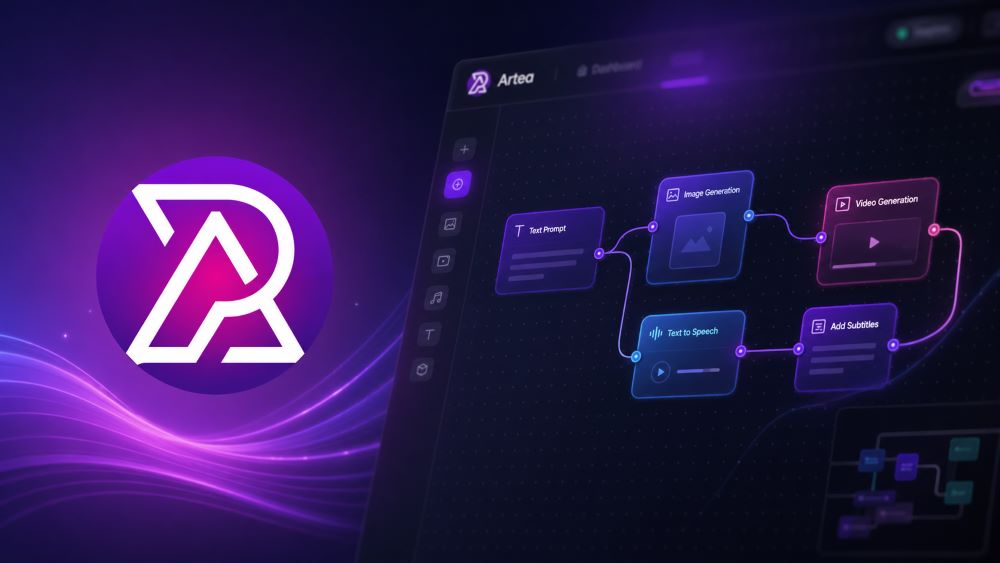
Welcome to the future of AI content creation. Today, we are thrilled to announce the launch of our newest feature: Artea Workflow.
For creators, producing complex content often means having to jump from one tool to another. However, with Artea Workflow, we give you a "director's desk" to automate content production from raw ideas to final masterpieces in just seconds.
What is Artea Workflow?
Artea Workflow is a node-based visual studio engine that allows you to design smart workflows by connecting various state-of-the-art AI models from around the world.
Think of it as LEGO for AI Creativity. You don't need to write a single line of code. Inside the visual interface (Canvas), you simply drag and drop various AI functionalities called Nodes. Each node represents a specific task—ranging from text, images, and audio to cinematic videos—and you only need to connect the lines from one box to another to dictate exactly how the data flows.
💡 Why You'll Love Artea Workflow
Many ask, "Why not just use the tools one by one?". Here is why Workflow will completely change the way you work:
-
Limitless Automation: Once you build a workflow (e.g., Text → Voice → Video → Subtitle), you can run it multiple times simply by changing the text input.
-
Precision Control: You can dictate in detail how the output of one AI process directly affects the next.
-
Cost Efficiency (Credits): The system displays a credit cost estimate before you execute the entire sequence, helping you avoid wasteful trial-and-error.
-
Mass Multitasking: You can process multiple scenes simultaneously in one canvas, rather than doing it one by one in different tabs.
🛠️ A Complete Collection of Tools at Your Fingertips
Artea Workflow categorizes its advanced tools (Nodes) into several powerful sections:
-
Assets (Raw Materials): The starting point of your workflow, including Upload Image/Video/Audio, accessing My Library, and the Text Prompt box.
-
Image (Visual Manipulation): Image generation and editing features like GPT Image 2, instant Face Swap, Remove Background, Upscale Image up to 4K resolution, and Virtual Try On for testing digital clothing.
-
Video (Motion & Animation): Tools to bring visuals to life such as Generate Video from text, Image to Video, AI Lip Sync to make photos talk, and Seedance 2.0 hyper-realistic video generation technology.
-
Audio (Voice & Music): Turn scripts into natural human voices with Text to Speech and create original background tracks with the Music Generator.
-
Content Tools (Production Management): Use the Content Generator to break down ideas into scenarios, Merge Videos to combine clips, and Add Subtitles for automatic transcription.
🎭 Real-World Use Cases
What can you build with this automated "content factory"? Here is some inspiration:
-
High-Converting E-commerce Ads: Use the Virtual Try On node to dress a model in your product, animate the result with Image to Video, add a background track with Music Generator, and finish it off with Add Subtitles to produce a ready-to-upload video ad.
-
TikTok / Instagram Influencer Content: Input your script, generate a digital character with GPT Image 2, convert text to speech, and use AI Lip Sync to make the visual character speak in perfect sync with your script.
-
Short Film Production: Feed a broad story idea into the Content Generator to break it down into multiple scenes. Let the automated system generate visuals and videos per scene, then seamlessly combine them all using the Merge Videos node.
Ready to Get Started? Artea Workflow isn't just a tool; it is a creative assistant that works 24/7 for you. Head over to your Workflow Dashboard now, start connecting your first nodes, and become a pioneer in the era of AI creativity!